Feature Article: Lock Out All Users
March 2026 Tags: Accounts Payable, General Ledger, PracticeMaster, Tabs3 Billing, Trust Accounting
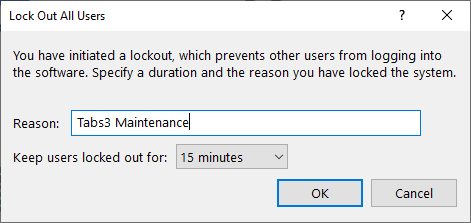
The lockout feature allows any manager to lock all other users out of all Tabs3 software applications. This feature makes it easier for the manager to perform exclusive tasks. To initiate a lockout, in the Quick Launch, search for and select “Lock Out All Users.”
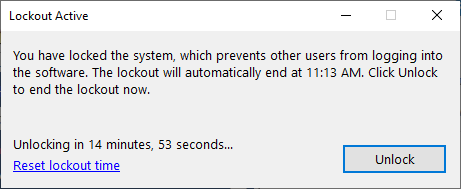
Once a lockout is in place, the Lockout Active window is displayed for the manager who initiated the lockout and you have the option to reset the lockout time or unlock.
When initiating a lockout, you can exit the software to perform server maintenance tasks, such as external backups, server moves, etc., without worrying about users opening the software. The user performing the lockout will continue to have full access to the Tabs3 Software, including applications that were closed prior to the lockout.
Lockouts can be assigned an optional duration. Once the assigned duration has expired, the lockout is automatically lifted and users can begin using the software again. If you need additional time to complete your tasks, the lockout can be extended. In the event a lockout must be ended early and the user who initiated it is unavailable, another user with manager rights can override the lockout.
If other users are currently in the Tabs3 Software, initiating a lockout opens a Conflicting Activities window, indicating which users need to exit the software before the lockout can begin. Additionally, with Tabs3 Platinum Software you can use the Request Log Off feature to request that users exit the software and, if necessary, force them to exit the software after a specified time period.


