Feature Article: Guided Tour and Getting Started Checklist
August 2026 Tags: Accounts Payable, General Ledger, PracticeMaster, Tabs3 Billing, Trust Accounting
Tabs3 Software comes ready to train your newest team member the moment they log in. Two built-in tools, the Guided Tour and the Getting Started Checklist, walk new users through the software from day one – no manual required.
Guided Tour
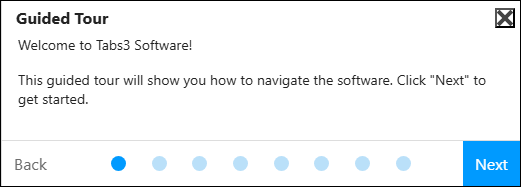
The first time a new user logs in, the Guided Tour launches automatically. It walks them through the key areas of the software: the Quick Launch, the Dashboard, and how to access Help, so they know where to find things before they start working.
Getting Started Checklist
The Getting Started Checklist appears on the Home page and guides new users through the most important tasks for each application. Each item links directly to the entry window where the action is performed, so users learn by doing.
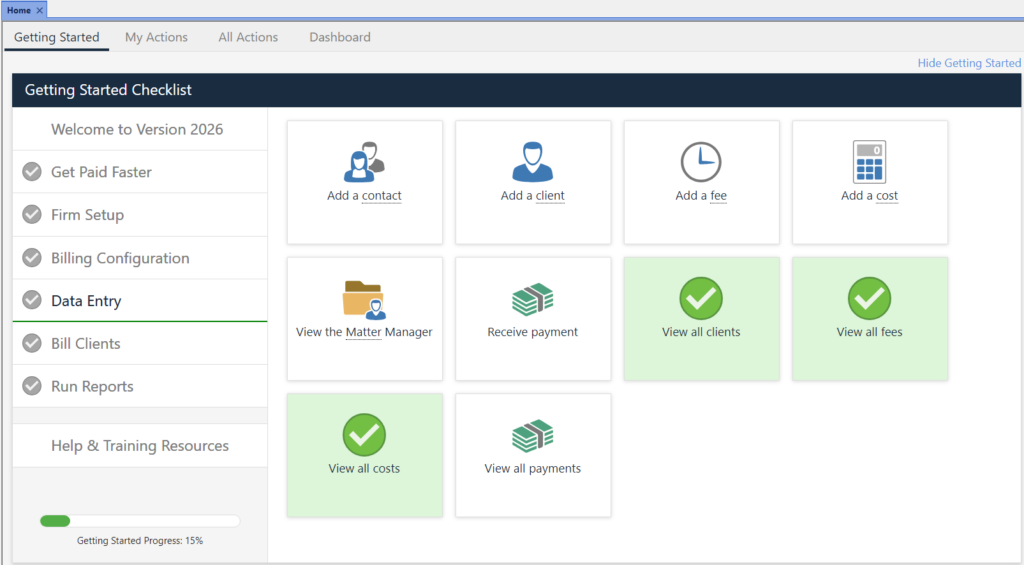
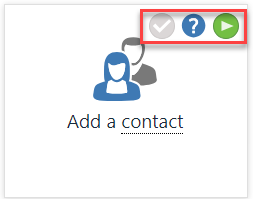
A progress bar at the bottom tracks completion so new users always know where they stand. Hover over any item to mark it complete, open the relevant Help topic, or launch a short training video, all without leaving the checklist.
Every application has its own checklist. A new user who accesses Tabs3 Billing, PracticeMaster, Trust Accounting, Accounts Payable, and General Ledger will see a tailored list in each one. All applications share the Firm Setup checklist, which covers adding an access profile and a user, and entering firm information.
The next time you bring on a new team member, point them to the Home page and let the software take it from there. See the Getting Started help topic for more information.