
As of December 31, 2025, the Tabs3 Support Team will no longer provide support for Version 2021 of Tabs3 Software.
If you are using an older version of the software, now is the perfect time to get up to date with the latest version of Tabs3 Software. You will be surprised at the number of features you’ve been missing! Click here to see What’s New in each version.
Updating to the latest version is FREE when your firm has an active subscription. To get started, in the Quick Launch, search for and select “Check for Updates.”
If you have any questions regarding the discontinuation of support for Version 2021, please contact your Tabs3 Software consultant, or a member of our Customer Success Team at customersuccess@Tabs3.com or (402) 419-2212.

We added a brand new synchronization option for the Microsoft 365 Exchange Connector. This new feature is specifically designed to simplify the setup and improve the reliability when synchronizing with Exchange Online / Microsoft 365. This new synchronization option provides the following advantages:
- PracticeMaster (via the Exchange Connector) integrates directly with the Exchange Online server:
- Outlook does not need to be present on the file server or even the workstation in order to synchronize events, tasks, or contacts with PracticeMaster.
- Changes made in the web-based Outlook 365 will be synchronized automatically to PracticeMaster.
- Once enabled, the Exchange Connector has full rights to all of the accounts on the Exchange Online server (including future accounts) for the purposes of synchronizing records.
- Since the Exchange Connector has rights to edit all users’ accounts, calendar entries made for other users in PracticeMaster are synchronized automatically instead of waiting for the next periodic synchronization.
- Periodic synchronization occurs at the server, thereby reducing network traffic.
- The Exchange Connector performs a single periodic synchronization for all users, ensuring that everyone is up-to-date.
Additionally, using the Exchange Connector with an Exchange Online / Microsoft 365 server provides the following advantages over other types of Exchange servers:
- There is no need to configure a separate Windows user or mailbox for the Exchange Connector.
- Outlook does not need to be installed at the file server.
- Changes made to calendar records in Tabs3 Connect are automatically synchronized to the Exchange server instead of waiting for the next periodic synchronization.
- Event, task, and contact information entered in the web browser version of Outlook 365 is automatically synchronized to PracticeMaster.
For more information on the Microsoft 365 Exchange Online, see Knowledge Base R11898, “Configuring the PracticeMaster Platinum Exchange Connector for Exchange Online / Microsoft 365.” For more information about Platinum features, see Knowledge Base Article R11379, “Platinum Overview.” If you have any questions regarding Platinum features, contact your local consultant, or call Technical Support at (402) 419-2210.

In Version 2021, we added the ability to go to a specific date when you’re in the Graphical Calendar or on the Dashboard tab of the Home page.
To go to a specific date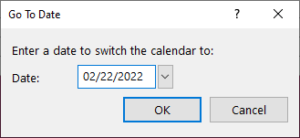
- Open the Graphical Calendar or the Dashboard tab of the Home page.
- Press Ctrl+D.
- Select the desired Date.
- Click OK.
The calendar will change to include the specified date.

The Write Off Report is here! View all write off information in a single, dedicated report. The Write Off Report can include the following options:
- Date Range
- All timekeepers or select timekeepers
- All transaction codes or select transaction codes
- Detail information for each write off
- Allocation breakdown
- Statement information
- Reversed write offs
Additionally, this report can be sorted by working timekeeper.
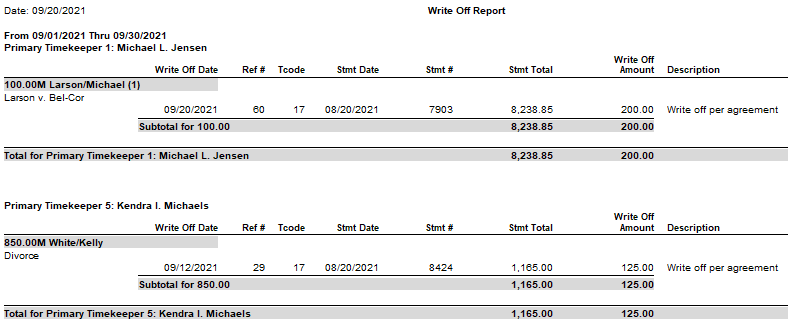
To run a Write Off Report
- In the Quick Launch, search for and select “Write Off Report.”
- Optionally select a Client ID
- Select any other settings as desired.
- Click OK.
This report is available in Version 2021 (Build 20.6.2) and later.
We added a new way to view clients, contacts, fees, costs, payments, client funds, and write offs without having to run a report! When accessing the new Tabs3 Billing lists, you can work with entries using the actions in the Quick Clicks pane, or drill down for additional details. Lists are available via the File | Open menu in Tabs3 Billing or by searching the Quick Launch for “clients,” “contacts,” “client funds,” “fees,” “costs,” “payments,” and “write offs.” The data entry windows for these record types are now available via File | Data Entry or by searching the Quick Launch for “client information,” “contact information,” “client funds entry,” “fee entry,” “cost entry,” and payment entry.”
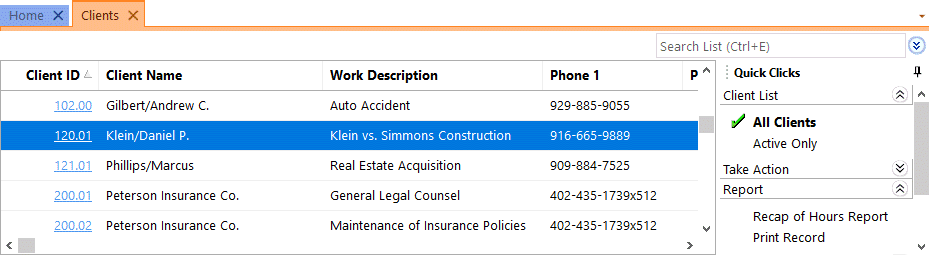
Filtering
Filtering is a powerful feature. For example, you could filter the Client file to only show clients for which you’re the primary timekeeper. As another example, you could filter the Fee file to only show fees entered in the last week. There are a few ways to filter in the lists.
- The Search Box allows on-the-fly filtering capabilities and can be used to filter data based on keywords included in any column shown in the current column layout.
- The List group in the Quick Clicks pane provides different filtering options for each list. For example, the Contacts List provides the option to filter for All Contacts or Active Only.
- The Filter group in the Quick Clicks pane can be used to set up easy or complex filters that you can reuse. Filters can be added via Manage Filters.
- The QuickViews group in the Quick Clicks pane can be used to create different views of your data. Each QuickView can include a filter, column layout, and sort. QuickViews can be added via Manage QuickViews.
Quick Clicks
The Quick Clicks pane includes the following additional groups:
- The Take Action group of the Quick Clicks pane includes additional actions you can take. For example, in the Fees List, you can transfer transactions, replicate transactions, set the fee’s status to hold, set the fee’s status to print, change WIP transactions, write-up or write-down fees, generate statements, and add a new fee.
- The Report group of the Quick Clicks pane includes any reports that are relevant to the current list. For example, the Write Offs List includes the Write Off Report and the Client Ledger Report.
- The Column Layout group of the Quick Clicks pane automatically includes the Standard and (default) column layouts. Column layouts can be added via Manage Column Layouts.
- The Customize Current View group of the Quick Clicks pane includes Manage Quick Clicks, Refresh, and List Preferences. Manage Quick Clicks provides the ability to add, edit, or delete filters, QuickViews, and column layouts, as well as to organize the Quick Clicks. List Preferences include row height, row colors, and grid lines for the list.
Download the latest version of the software to get this great new feature!
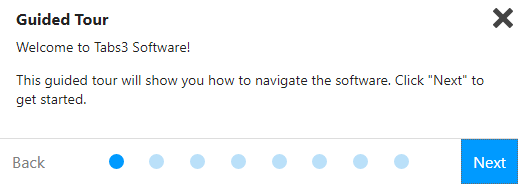
Beginning with Version 2021, there is a Guided Tour and Getting Started Checklist to help new users navigate the Tabs3 Software.
The Guided Tour shows new users how to navigate the software by providing a quick overview of:
- Quick Launch
- Application Toolbar
- All Actions
- My Actions
- Dashboard
- Help
You can access the Guided Tour from the Help menu by selecting Navigational Tour.
The Getting Started Checklist spotlights key features in each application. For example, in Tabs3 Billing, the Getting Started Checklist has actions for the following:
- Data Entry – Add a contact, client, fee, and cost; view the matter manager; and receive a payment.
- Bill Clients – Generate a draft statement and final statement, update a statement, and email a client.
- Run Reports – View the Recap of Hours, Accounts Receivable Report, and the Client Ledger Report.
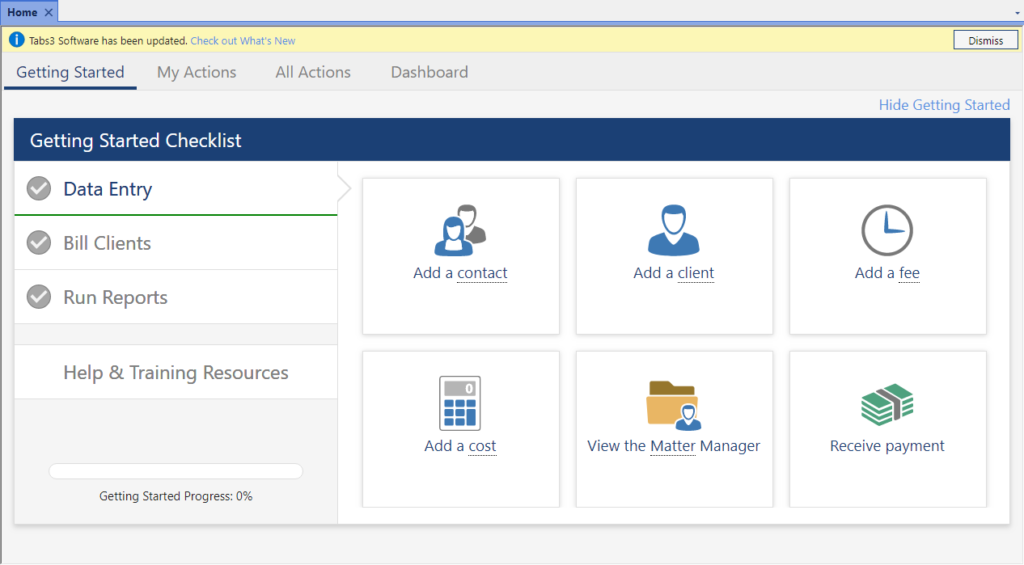
Once you have completed an action (e.g., added a contact, generated a statement, etc.), the action is considered 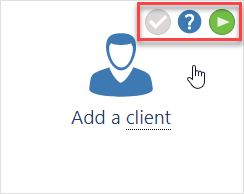 completed and will display a green check mark. Once all items have been marked complete, the Getting Started Checklist is no longer shown. Hovering over an underlined term displays a definition of the term. Hovering over an action displays a check mark that can mark the item complete or incomplete, a link to a Help topic on the subject, and, in some cases, a link to a training video.
The Getting Started Checklist also provides Help and training resources, including links to the Administrator Guide, training videos, Help, the online newsletter and a support overview. A progress bar is provided to help track your progress. Additionally, you can hide the Getting Started Checklist by clicking Hide Getting Started in the upper right-hand corner. If hidden, you can bring back the Getting Started Checklist by clicking Getting Started.
Note: These new features are only displayed when a newly created user logs into any of the applications; existing users will not see them.
Are you ready to get paid faster? Using Tabs3Pay, accepting credit card payments has never been easier for your law practice!
With Tabs3Pay, you can:
- Manage separate trust and operating accounts.
- Securely store payment information for future use.
- Accept credit cards and electronic checks, all from within Tabs3 Software.
- Include a payment link in email statements, allowing your clients to easily enter payment information through the secure Tabs3Pay portal.
Best of all, Tabs3Pay provides simple pricing for all credit card types, which means that no matter what type of card is used, the same low fixed rate will be applied. There are no monthly fees or other charges.
Ready to take the next step? Tabs3Pay’s hassle-free setup means that you can begin accepting payments on the same day that you sign up. You can sign up and enable Tabs3Pay right from Tabs3 Billing or Tabs3 Trust Accounting (Trust)! Just have your law firm’s EIN number (Tax ID), the account and routing numbers for your bank accounts, and an estimate of your processing amounts ready.
To sign up for Tabs3Pay
- From the Reports tab, point to Credit Card and select Tabs3 Web Portal.
- Click the Let’s Get Started button.
Note: This feature is available in Version 2021 (Build 20.5) and later.
For more information on signing up for and configuring Tabs3Pay, see Knowledge Base Article R11869, “Configuring Tabs3Pay.”
Did you know that you can easily see a list of write offs for any client, as well as how each write off is applied?
Beginning with Version 2021, you can access write off information via the Tabs3 Billing Matter Manager. When selecting a write off, you can see the date and amount of the write off, statement information, how it was applied, and more.
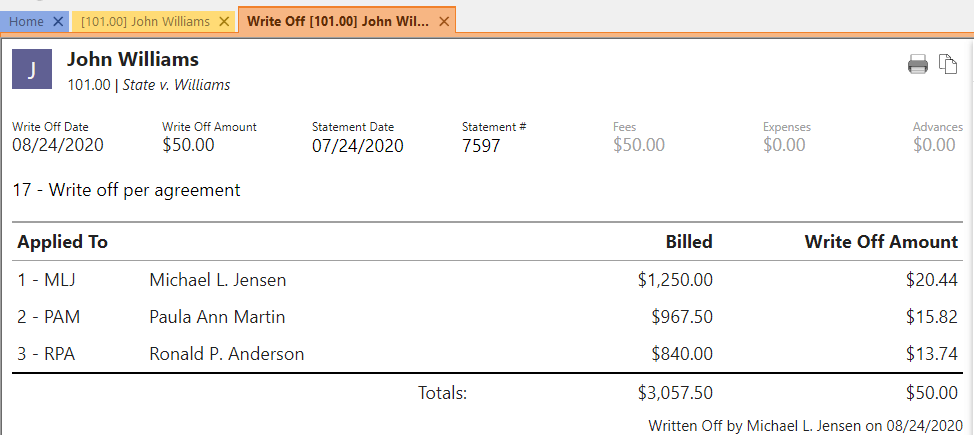
To access write off information via Tabs3 Billing Matter Manager
- Open Matter Manager from the Quick Launch.
- Select the desired Client.
- Click the Write Offs list.

- Click the write off for which you want more information.

Want to see all of the new features in Version 2021? Check out Knowledge Base Article R11860, “Version 2021 Introduction to New Features!”
This article provides information on each new feature. Features are listed by program and include screenshots and links to additional information when applicable. Each time we add a new feature to Version 2021, this article is updated so that you can get the information you need to begin using the feature.
Our Knowledge Base can be accessed at support.Tabs3.com. You can also access our Knowledge Base while in the software by selecting Help | Internet Resources | Knowledge Base.

Drill-down capabilities provide the ability to quickly access data while previewing reports. Additionally, drilldown is available in entry lists (WIP only), the Tabs3 Billing Matter Manager, PracticeMaster Matter Manager, and Tabs3 Billing Recap of Hours.
- Reports – While previewing a report, when you mouse over a drill-down field, the field will be highlighted in yellow. Clicking the field will open an information page or a data entry window allowing you to view or edit the record. If an edit is made to a record, clicking the Refresh button (or pressing F5) in the Preview window will update the report to reflect the change made.
- Tabs3 Billing Matter Manager – Drill down to the client or contact as well as fees, costs, payments, client funds, statements, write offs, and Trust entries.
- PracticeMaster Matter Manager – Drill down to the client or contact as well as fee, cost, calendar, journal, and document records.
- Tabs3 Recap of Hours – Click on a day to display transactions for the selected timekeeper, and then double-click the transaction to open it.
For a complete list of reports and features with drill-down capabilities, refer to Knowledge Base Article R10646, “Drill-Down Features in the Software.”
Version 2021 has some great new features we know you’ll want right away!
All Applications
- Simplified Update – Updating from Version 2020 to Version 2021 does not require a conversion. If updating from Version 19 to Version 2021, only a single conversion is required.
- New Look – We’ve updated the icons for all of the actions on the Home page in each Tabs3 Software application to provide a fresh look.
Tabs3 Billing Highlights
- Payment Information – Provides detailed payment allocation information for both archived and work-in-process payments. In addition to payment allocation, this page shows associated Tabs3 General Ledger transactions and payment adjustments (refunds or reversals).
- Write Off Information – Provides detailed information about the selected write off, including a breakdown of how the write off was applied (each timekeeper, cost type, tax amount, or finance charge) across each statement that was written off, and who performed the write off.
- Matter Manager:
- Write Off List – This list provides an easy way to see any write off performed on the matter. Clicking an entry in the list displays the Write Off Information page.
- Statement Status Indicators – The statement list in the Matter Manager now includes color-coded indicators to help you see at a glance which statements are unpaid and for how long.
- Email an Individual Statement – In the Statement Manager or Statement Information window, a new Send Email action is available. This reprints the selected statement, just like using the Reprint Updated Statements feature, and then starts a new email with the statement attached.
- Report Drilldown – We’ve updated numerous Tabs3 Billing reports to support drilling down to statements, payments, and write offs in the Report Preview window.
Tabs3 Trust Accounting and Accounts Payable Highlights
- IRS 1099-MISC and 1099-NEC Changes for Tax Year 2020 – We’ve updated the software to support new requirements from the IRS for tax year 2020.
Updating to Version 2021 is as easy as using Check for Updates (Help | Check for Updates)!
Did you know that you can now drill down to all payments (including archived payment) in Tabs3 Billing Version 2021? For example, in the Matter Manager, you can click on any payment to view the Payment Date, Payment Amount, which Timekeeper it applied to, the Statement Date and Number to which it applied, and more. This makes it easy to get payment information without having to run a report!